Grant's Perspective on ... Driving Technology AV Seminars and Demonstrations, January 27, Greenwood Inn, Winnipeg.
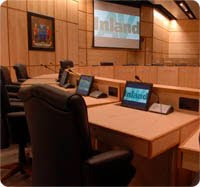
Inland AV is hosting a day of 5 educational seminars and over 20 audiovisual manufacturers demonstrating the latest in AV technology at the Greenwood Inn, Winnipeg. Seminars include: Crestron Digital Media, Navori Digital Signage Applications, Sharp 70" Interactive Touchscreen, Epson BrightLink and AMX System Control.
It is a great opportunity to meet with the manufacturer reps!
Grant
Friday, January 20, 2012
Friday, January 13, 2012
Sharp Interactive LCD Monitor Demonstrations In Winnipeg & Edmonton
Grant's Perspective on ... Sharp interactive touch-screen LCD monitors.
I encourage all of our readers in the Winnipeg and Edmonton area to attend the Inland AV Driving Technology Audiovisual Seminars and Demonstrations. The Winnipeg event is on January 27 and Edmonton is on February 10.
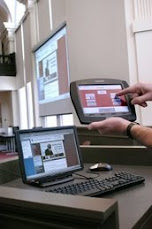
One of the seminars will feature Joe Ng, Sharp Electronics of Canada. Joe will be making a presentation on the 70" interactive touch-screen LCD monitor. Sharp recently visited our office to demonstrate the interactive monitor (see photo below).
![]() |
| Nick Hoxha, Sharp Digital Presentation and Signage Group |
The seminars will be of interest to anyone who is looking at interactive technology because in addition to the Sharp interactive touch-screen seminar, Epson Canada will deliver a presentation on their BrightLink projectors.
This will be an excellent opportunity to learn about interactive monitors and projectors at the seminar and to try the technology out at their demonstration booths.
Grant
Friday, January 6, 2012
XGSV100W Swivel Projector Demo In Winnipeg and Edmonton
Grant's Perspective on ... the Sharp XGSV100W swivel projector will be at the Inland AV Winnipeg and Edmonton Driving Technology events.
Last month the Sharp reps were in our office and demonstrated the new XGSV100W projector. The projector rotates 180* right and left. This is a great feature for training and banquet rooms that can be set up in different configurations. The projector can be pre-set for different screens on different locations in the room. The picture below shows the demonstration set up. A really good idea as an installed unit is mounted on the ceiling and we could get a close up of the working demonstration.
Labels:
Sharp XGSV100W,
swivel projector
Friday, December 16, 2011
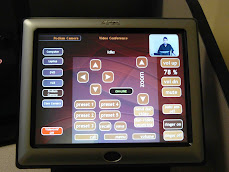
Crestron OnCue perfect For Classroom AV System Control
Grant's Perspective on ... user-friendly and cost-effective AV system control for K-12 classrooms.
Crestron has released the OnCue BPC-8AV system controller that is designed with the K-12 classroom in mind. The OnCue is user-friendly and cost-effective which is key in today's classroom.
The Crestron product web page sums up the features nicely so I have copied and pasted below:
- Ultra-affordable control for a single display device
- Also allows control of source components and other devices
- Compact design mounts in a single-gang wall box
- Affords an attractive and professional appearance
- Features large backlit buttons for easy control in any room
- Affords super-intuitive operation for any user
- Includes interchangeable button caps for flexible configuration
- Allows customizable LED button feedback behavior
- Supports up to 3 IR and 1 RS-232 devices
- Includes built-in IR library for simple out-of-the-box setup
- Allows advanced configuration via easy-to-use software and IR learner/programmer
- Macros enable sophisticated functionality from a single button press
- Enables user passcode protection and automatic projector shutdown
Contact us for more information on the OnCue system or any other AV system control questions you may have.
I wish everyone the best of the Holiday Season and look forward to what new technology 2012 will bring.
Tuesday, December 6, 2011
3D Product Launch
Grant's Perspective on ... 3D projection at the Hyundai Accent product launch.
Effective 3D projection can sure be entertaining. While I've posted on research about 3D educational content it is also entertaining. I like the Hyundai Accent product launch. They have 3D images projected on the side of a building and also have the car on the side of the building. The YouTube video looks cool and would have been spectacular to see in person.
Here is another product launch on the side of a building by Nokia.
Grant
Effective 3D projection can sure be entertaining. While I've posted on research about 3D educational content it is also entertaining. I like the Hyundai Accent product launch. They have 3D images projected on the side of a building and also have the car on the side of the building. The YouTube video looks cool and would have been spectacular to see in person.
Here is another product launch on the side of a building by Nokia.
Grant
Labels:
3D presentations,
projection on building
Friday, November 25, 2011
Sharp 70" Interactive Touchscreen Winnipeg Demo Days
Grant's Perspective on ... The Sharp 70" interactive touchscreen demonstrations in Winnipeg.
Staff from Sharp Electronics of Canada were in our Winnipeg office for a couple of days this week demonstrating the PNL702B 70" interactive touchscreen monitor. It would take quite awhile to go through all the features so I will touch on a few points today.
Computer and Monitor Control - The included infrared "pen" works like a PC mouse with right and left click buttons and as an annotation pen. You can also use your fingers instead of the pen. You can drag and tap your finger on the screen to open folders and documents, move them around the screen and even use two fingers to size documents. I feel like I'm in an episode of CSI when using the 70" touchscreen!
You can open up a keyboard graphic and type into any program that you have on your computer.
The next photo has Nick playing arm-chair quarterback as he analyzes and annotates a football video posted on YouTube.
BTW - You can see a copier in the foreground of the photos. Nick also demonstrated how the monitor can both send and receive information from the Sharp copier.
I'm sure to be posting more on this product in the coming weeks.
Grant
Friday, November 18, 2011
Speak Directly Into the Microphone
Grant's Perspective on ... Holiday Concerts and microphone use.
A quick note to anyone who is working on a school or church concert. Have your singers and actors speak directly into the microphone.
Most common microphones are designed to pick-up sound that is directly in front of them. They do not pick up from the sides, behind or too far in front. There are microphones that are designed with a larger pick up pattern but most microphones have a cardioid pattern and do not pick up anything outside of the cardioid pattern.
Have your talent move to the microphone for their speaking parts. It is better that they move to the microphone rather than have them stand around the stage and hope that the microphone picks up their voice.
Grant
A quick note to anyone who is working on a school or church concert. Have your singers and actors speak directly into the microphone.
Most common microphones are designed to pick-up sound that is directly in front of them. They do not pick up from the sides, behind or too far in front. There are microphones that are designed with a larger pick up pattern but most microphones have a cardioid pattern and do not pick up anything outside of the cardioid pattern.
![]() |
| classic Shure cardioid microphone |
Have your talent move to the microphone for their speaking parts. It is better that they move to the microphone rather than have them stand around the stage and hope that the microphone picks up their voice.
Grant
Subscribe to:
Posts (Atom)